Showing posts with label 365. Show all posts

Monday, February 13, 2012

44. Haystack Rock


I haven't really gotten into using the curves for color and contrast correction, so I was happy when I found a simple way to make photos pop, by simply duplicating the layer and changing the blending mode to soft light.  

Keep duplicating layers until the desired effect is achieved.  If you want further tweaking, you can adjust the opacity from 100% to whatever you are comfortable with.

before:


Thursday, February 9, 2012

38. Marble

Using a photo from last year's project and this incredible one by Misha, compiling many of the 2011 365 projects , I resized it, and warped the image to fit onto the marble.


Friday, February 3, 2012

Tuesday, January 31, 2012

Monday, January 30, 2012

26. Fixing an Underexposed Photograph

Tonight, I learned how to easily adjust your underexposed photo by duplicating the layer and changing the blend mode from normal to screen until it's just right.  The problem with this photo is that in then leaves the   other hand overexposed.  I have some digital dodging and burning to learn.......


before:


25. Pop Art


Thursday, January 19, 2012

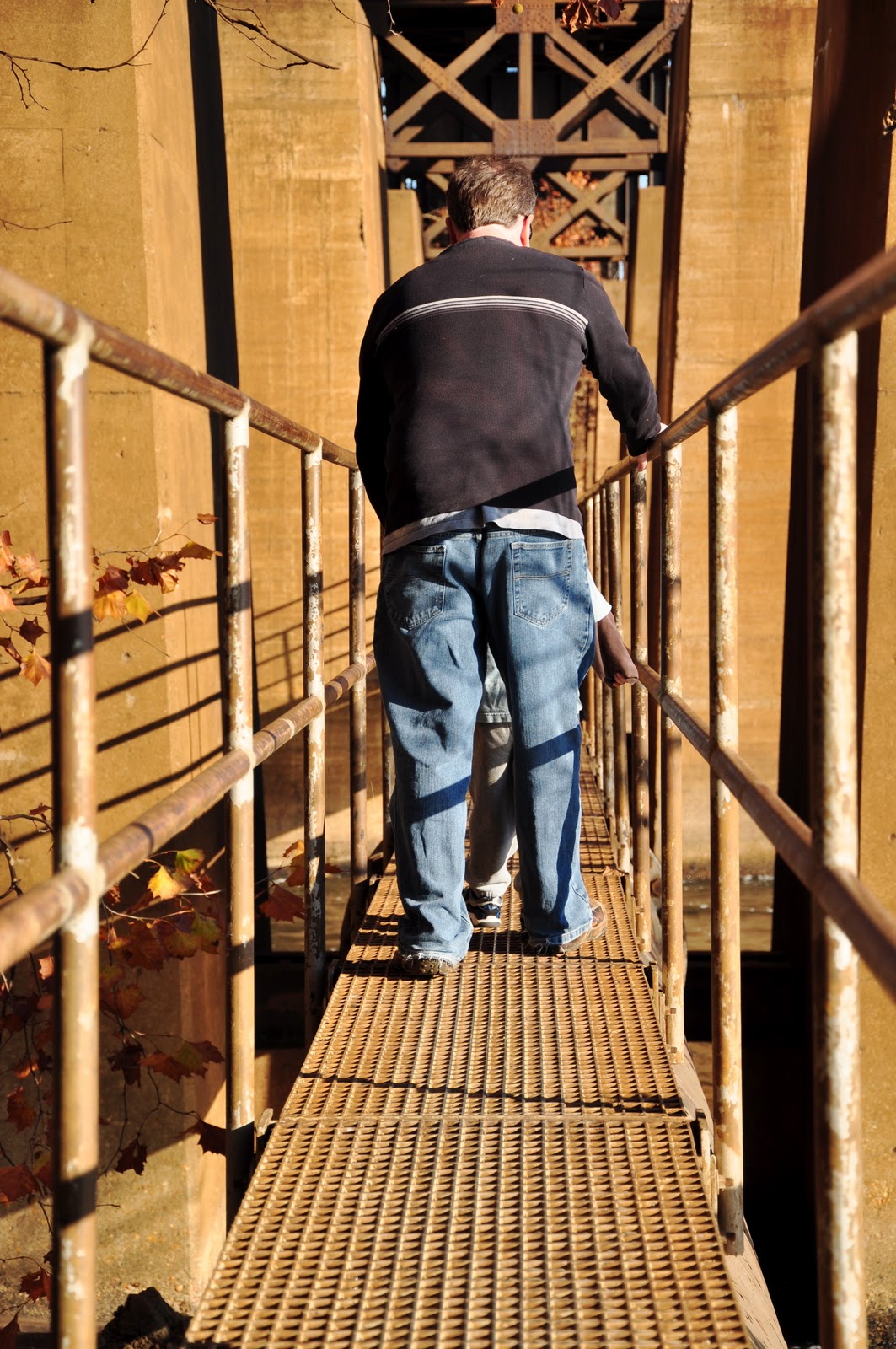
18. Clone Stamp

Fascinated by the paranormal and often trying to create "spooky" in my images, either with crime scenes or mirrors, I was drawn to a tutorial that helps you create a ghost-like image.

I found that using the clone tool alone is an important lesson, so actually creating the ghost will be featured on day 19:)

Here is the original of my husband and son walking the pipeline bridge in Richmond, VA.


Here is the image after removing the subjects and cloning the surrounding areas:


17. Gritty HDR

Using one of my favorite pictures of my friend and farming goddess, Susan Saunders, I used this tutorial and created a gritty HDR image.

Original

Gritty HDR effect


Wednesday, January 4, 2012

4. Separating Complex Objects from Background

Tonight I didn't use a tutorial.  I worked with the magical wand to select the unwanted background, erased it and then found a new one I liked.  This is the image before the edit.  

My son, the ham, awaiting an amusement park ride a few years ago.


Here is the altered background, which I will be adding to in the next few days.  Tonight, I learned a lot about resizing and transforming while holding the shift button, as not to lose the aspect of the image.  I'm digging it!!!


Tuesday, January 3, 2012

3. How to Turn a New Photo into an Old Photo

Using this tutorial, I transformed a photograph of my friend, Susan, holding her own farm fresh eggs.  

Here is the original:

Here is the altered photo:


Monday, January 2, 2012

2. Recreating a Bar Code

For this tutorial, the instructor applied a bar code to a lemon.  Since I'm trying to use only my images, I went with an old SG 365 self portrait and used my forehead.  The most challenging part of this exercise for me was warping the bar code so it didn't lay flat across my head. 


It's not perfect, the ends are a bit pixelated, but I learned about transforming and warping.  Try it out! What would you like to see a bar code on? Feel free to post comments on how this could be improved and/or your personal bar code experiments.